
Tools
On this page
RestroPress › Tools checks that your store is set up correctly, repairs stale data and collects information for support. It has six tabs.
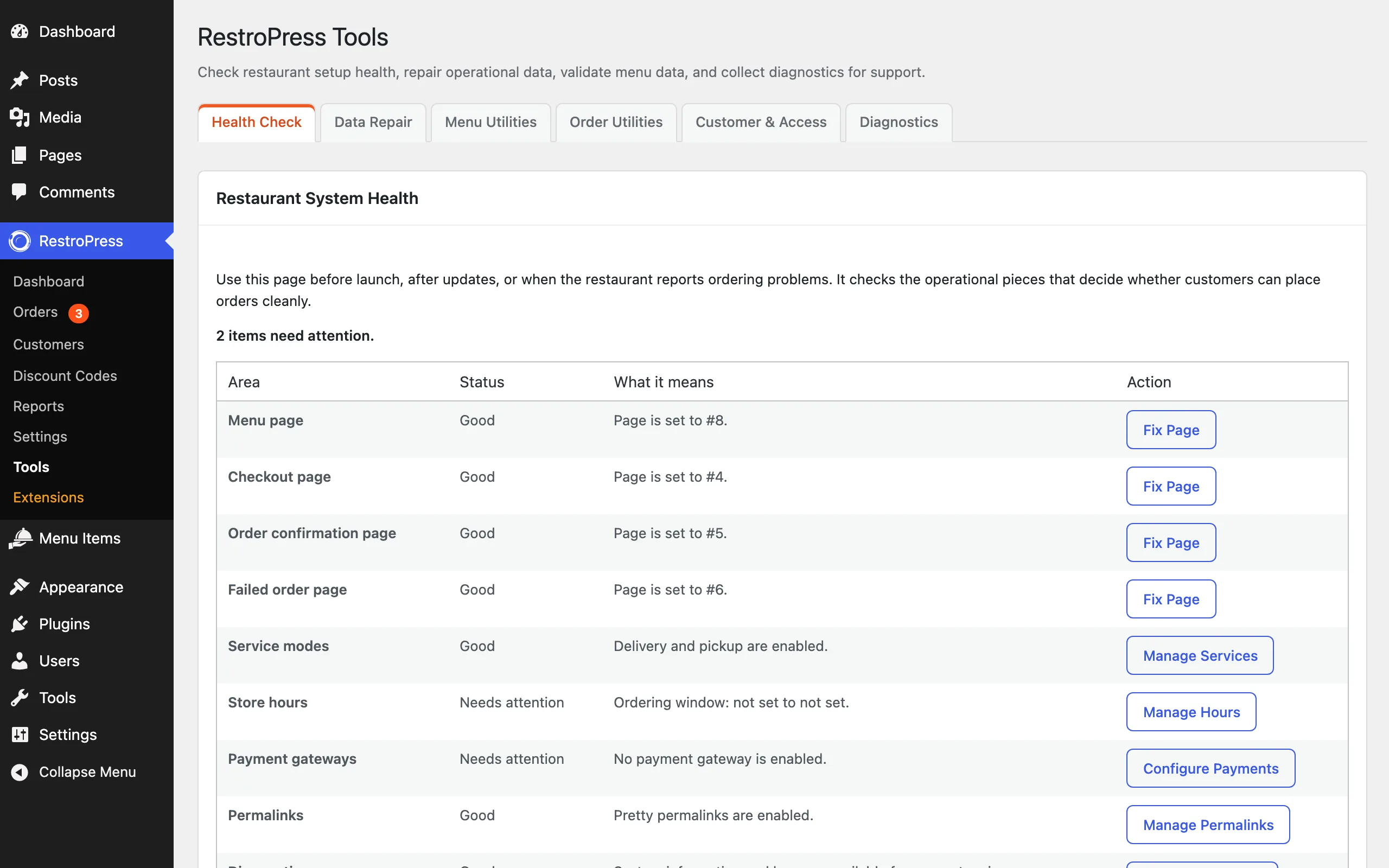
Health Check#
Use it before launch, after updates, or when a customer reports an ordering problem. It checks the pieces that decide whether customers can order, shows each as Good, Needs attention or Critical, and gives a button to fix it:
- Menu page, Checkout page, Order confirmation page and Failed order page: each must be set and still exist. Fix Page opens the setting.
- Service modes: whether delivery, pickup or both are enabled (Manage Services).
- Store hours: your ordering window, or "always open" (Manage Hours).
- Payment gateways: at least one gateway must be enabled (Configure Payments).
- Permalinks: pretty permalinks are recommended for public ordering pages (Manage Permalinks).
- Diagnostics: opens system information for support.
Data Repair#
Use these when reports, menu item totals or customer order counts look stale after an import, a migration or an update. Choose an option and click Submit:
- Recalculate Restaurant Totals: total earnings and order counts.
- Recalculate One Menu Item or Recalculate All Menu Items: order and earnings stats per item.
- Recalculate Customer Stats: lifetime spend and order counts for all customers.
- Reset Restaurant Data: deletes all order records, customers and related log entries. Use it only on test or staging sites.
The tab also has Clear Incomplete Upgrade Notice, for when an upgrade notice stays on screen after the upgrade has finished.
Menu Utilities#
Menu readiness checks to run before launch or after an import: published menu items, items missing a price, items missing an image, items without a category and add-on groups, each with a link to review them. There are also shortcuts to import and export your menu.
Order Utilities#
Counts of pending, failed and refunded orders with a link to review each, and a shortcut to Data Repair if historical order totals look stale.
Customer & Access#
- Blocked Emails & Domains: customers using an email address, domain (start with
@) or top-level domain (start with.) on this list cannot place orders. Enter one per line and click Save. - Developer API Settings and Manage Application Passwords: links for REST API access.
Diagnostics#
System information and logs to send to support. Turn on Debug Mode under Settings › Misc to log debug messages here.
A Beta Versions tab appears only when you have an extension with beta updates available.
Where did Import and Export go?#
They moved to where the data lives: menu import and export under Menu Items, report exports under Reports › Export, and settings import and export under Settings › Misc.