
RestroPress PhonePe Payment Gateway
On this page
This plugin registers a gateway called PhonePe in RestroPress. It creates a PhonePe payment through the PhonePe /pg/v1/pay API using a Merchant ID and salt key, redirects the customer to the PhonePe page, and checks the result with PhonePe's status API when the customer returns. It is a small early-stage plugin (version 1.0.0, about 330 lines of code, placeholder author and website in the plugin header).
It is the smaller of two PhonePe plugins. The other one, restropress-phonepe ("RestroPress PhonePe Gateway"), uses PhonePe Standard Checkout with OAuth credentials, a webhook, scheduled status retries, UPI app options, INR and minimum-amount checks and DineIn app endpoints. This plugin has none of those: it uses the older hermes /pg/v1/ API, has no webhook, no retries and no currency check.
Requirements#
- RestroPress (the plugin only starts if the
RestroPressclass exists). - A PhonePe merchant account with a Merchant ID, a Salt Key and a Salt Index.
Installation#
Install the ZIP from Plugins › Add New › Upload Plugin and activate it. Then open RestroPress › Settings › Payment Gateways, tick PhonePe in the gateway list and save. The settings are in the PhonePe section of the same screen.
The plugin has no licence field, so there is no licence key to enter and no update checker in its code.
Settings#
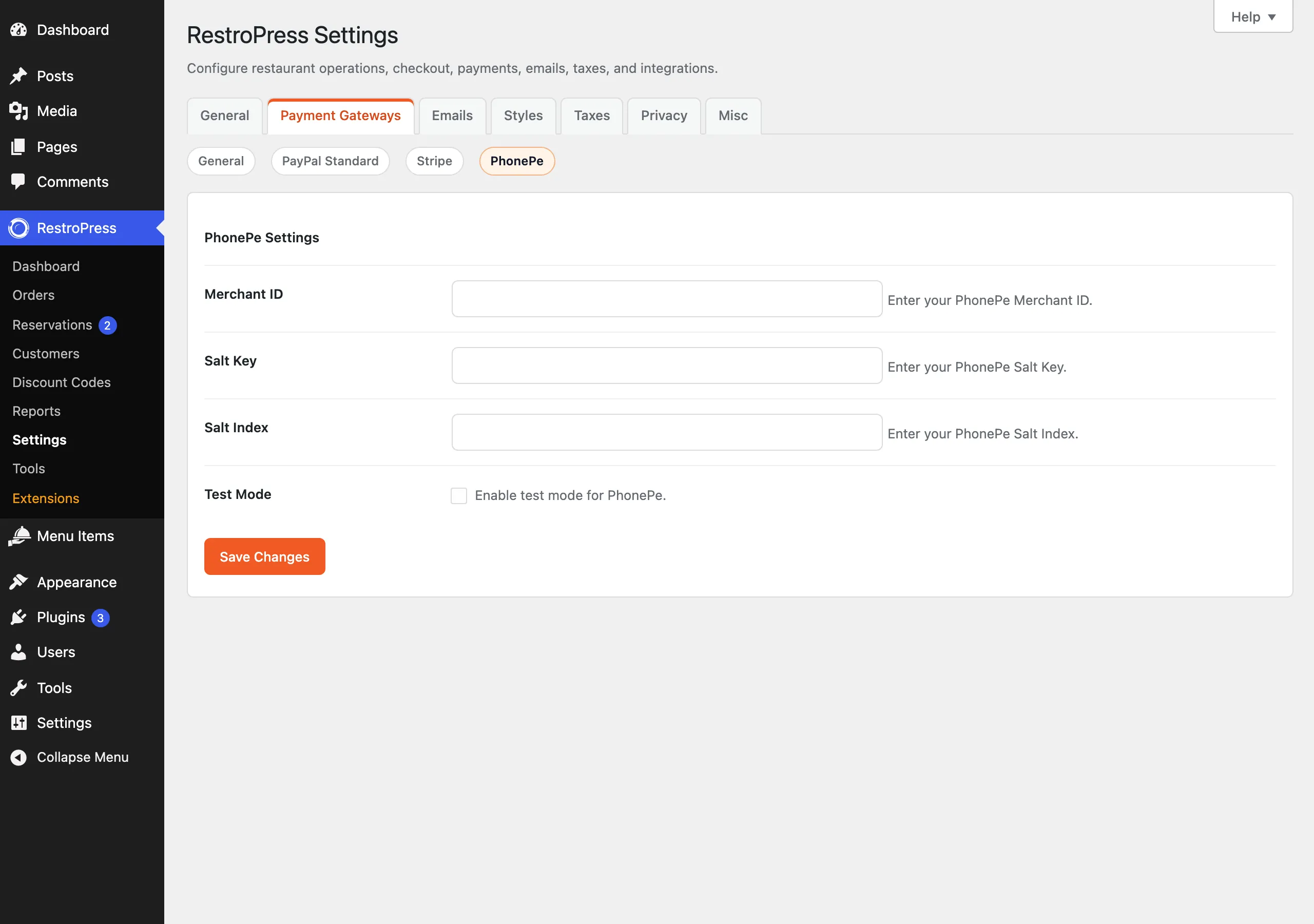
| Setting | What it does | Default |
|---|---|---|
| Merchant ID | Your PhonePe Merchant ID. | empty |
| Salt Key | Your PhonePe Salt Key, used to sign requests. Plain text field. | empty |
| Salt Index | Your PhonePe Salt Index, sent with the signature. | empty |
| Test Mode | Uses the PhonePe preprod address (api-preprod.phonepe.com) instead of the live one (api.phonepe.com). | Off |
How it works#
- The customer chooses PhonePe at checkout. If the Merchant ID, Salt Key or Salt Index is empty, checkout shows "PhonePe configuration is incomplete."
- The plugin creates the order with status
pendingand sends PhonePe a base64-encoded payload containing the Merchant ID, the order ID as the transaction ID, the customer ID, the amount multiplied by 100, a return and callback URL of?rpress-listener=phonepeon your site, the phone number if present, and thePAY_PAGEinstrument. The request is signed in theX-VERIFYheader with SHA-256 of the payload, the path and the salt key, followed by###and the salt index. - If PhonePe returns a redirect URL the customer is sent there. Otherwise checkout shows "Payment gateway error."
- When the customer returns, the plugin reads
merchantTransactionIdfrom the query string, asks PhonePe's status API for that transaction, and if the code isPAYMENT_SUCCESSsets the order topublish, empties the cart and redirects to the success page. - If the code is anything else, including a pending payment, the plugin stops with "Payment verification failed." and does not change the order, which stays
pending.
The plugin does not check the store currency (PhonePe works in INR), does not check the amount, has no webhook and no scheduled retry, and does not support refunds. Errors are written to the PHP error log only when WP_DEBUG is on.
Troubleshooting#
- "PhonePe configuration is incomplete." One of Merchant ID, Salt Key or Salt Index is empty.
- "Payment gateway error." The call to PhonePe failed or the response had no redirect URL. Turn on
WP_DEBUGlogging to see the response. - "Payment verification failed." The status call failed or the transaction was not yet successful. The customer sees this page and the order stays
pending. - For automatic confirmation by webhook, scheduled retries and failed-payment handling, use
restropress-phonepeinstead.