
RestroPress Cashfree Payment Gateway
On this page
RestroPress Cashfree Payment Gateway adds Cashfree as a payment method at checkout. The customer is sent to Cashfree to pay and returns to your site, where the plugin checks a signature and marks the order completed or failed. It targets restaurants that use Cashfree in India.
Status: early version. The plugin registers a gateway, settings and a return handler, but the code has not been shown to complete a payment against Cashfree. Treat it as unfinished: use it only with the provider's sandbox until you have tested a full order yourself.
Requirements#
- RestroPress. The plugin loads only when the
RestroPressclass exists and does not check a version. - A Cashfree account with an App ID and Secret Key.
- Orders are always sent to Cashfree in INR, whatever currency the store uses. Use this gateway only on a store whose currency is INR.
Installation#
- In WordPress go to Plugins › Add New › Upload Plugin, choose the ZIP file and install it.
- Activate RestroPress Cashfree Payment Gateway.
- Go to RestroPress › Settings › Payment Gateways, tick Cashfree under Payment Gateways on the General section and save.
- Open the Cashfree section on the same tab and fill in the settings below.
The plugin has no licence key field, so there is nothing to enter under RestroPress › Settings › Licenses for it.
Settings#
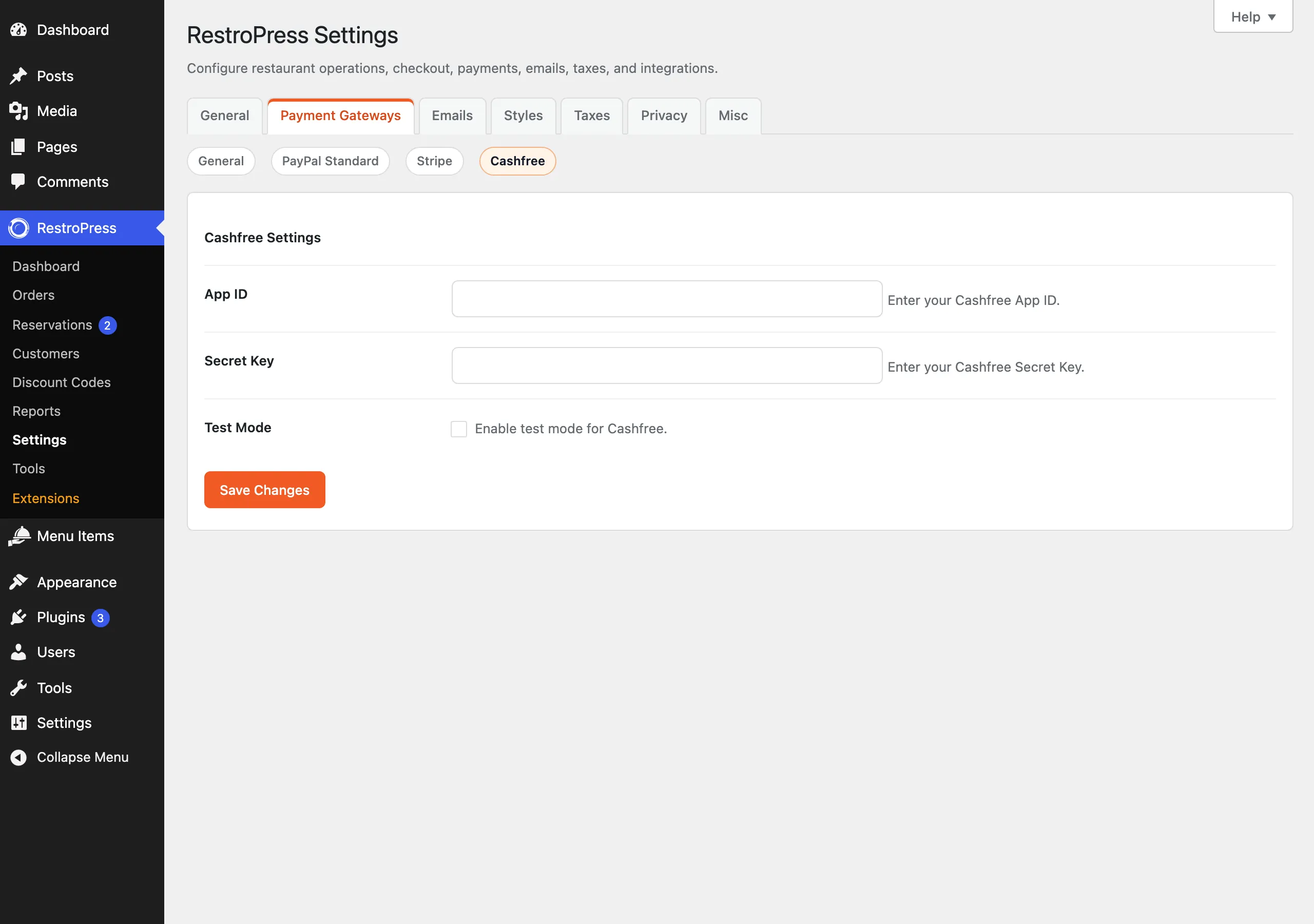
Found under RestroPress › Settings › Payment Gateways › Cashfree, below the heading Cashfree Settings.
| Setting | What it does | Default |
|---|---|---|
| App ID | Your Cashfree App ID, sent as x-client-id. Required. | Empty |
| Secret Key | Sent as x-client-secret and used to check the signature on the return. Required. | Empty |
| Test Mode | Uses test.cashfree.com instead of api.cashfree.com / www.cashfree.com. This is a setting of this plugin; it does not follow the main RestroPress Test Mode option. | Off |
The Secret Key is an ordinary text field, so it is visible on the settings screen.
How it works#
- The customer chooses Cashfree at checkout. No card form is shown.
- The plugin checks that App ID and Secret Key are filled in; otherwise checkout shows "Cashfree configuration is incomplete."
- It creates the order with status
pendingand gatewaycashfree, then requests a token (cftoken) from Cashfree for the order ID and total. - If a token is returned, the plugin outputs an auto-submitting form that posts the order details to Cashfree, with return and notify URL
/?rpress-listener=cashfree. Otherwise checkout shows "Payment gateway error." - Cashfree posts the result back. The plugin recomputes an HMAC-SHA256 signature from the posted order ID, amount, reference ID, status, payment mode and message, using the Secret Key, and stops with "Signature verification failed" if it does not match.
- If
txStatusisSUCCESSthe order becomespublish(completed), the cart is emptied and the customer lands on the success page. Any other status sets the order tofailedand returns the customer to checkout with "Payment failed."
The returned amount is not compared with the order total, and there is no refund support. The signature scheme was not checked against Cashfree's own documentation (see the notes at the end of this page), so run a full sandbox payment before going live.
Troubleshooting#
- Cashfree configuration is incomplete. App ID or Secret Key is empty.
- Payment gateway error. The token request failed or returned no
cftoken. WithWP_DEBUGon, details go to the PHP error log with the prefix[RPRESS Cashfree]. - Signature verification failed. The Secret Key differs from the one Cashfree signs with, or the signature format differs from what the plugin expects.
- Payment not found / Invalid response from Cashfree. The return arrived without an
orderId, or the ID is not an order.