
RestroPress Paytm Payment Gateway
On this page
This plugin registers a gateway called Paytm in RestroPress and sends the customer to Paytm's hosted payment page, then marks the order paid or failed from the response. It is a small early-stage plugin (version 1.0.0, about 300 lines of code, placeholder author and website in the plugin header) and should be treated as a starting point, not a finished integration.
It is the smaller of two Paytm plugins. The other one, restropress-paytm ("RestroPress Paytm Gateway"), is a full integration: it uses Paytm's transaction-token and order-status APIs, verifies every payment with Paytm before the order reaches the restaurant, retries through WP-Cron, and has a UPI link fallback. This plugin does none of that. It posts a form to Paytm's /order/process address, uses a plain SHA-256 hash for the checksum instead of Paytm's own checksum routine, and does not call Paytm to confirm the result.
Requirements#
- RestroPress (the plugin only starts if the
RestroPressclass exists). - A Paytm merchant account with a Merchant ID and Merchant Key.
Installation#
Install the ZIP from Plugins › Add New › Upload Plugin and activate it. Then open RestroPress › Settings › Payment Gateways, tick Paytm in the gateway list and save. The settings are in the Paytm section of the same screen.
The plugin has no licence field, so there is no licence key to enter and no update checker in its code.
Settings#
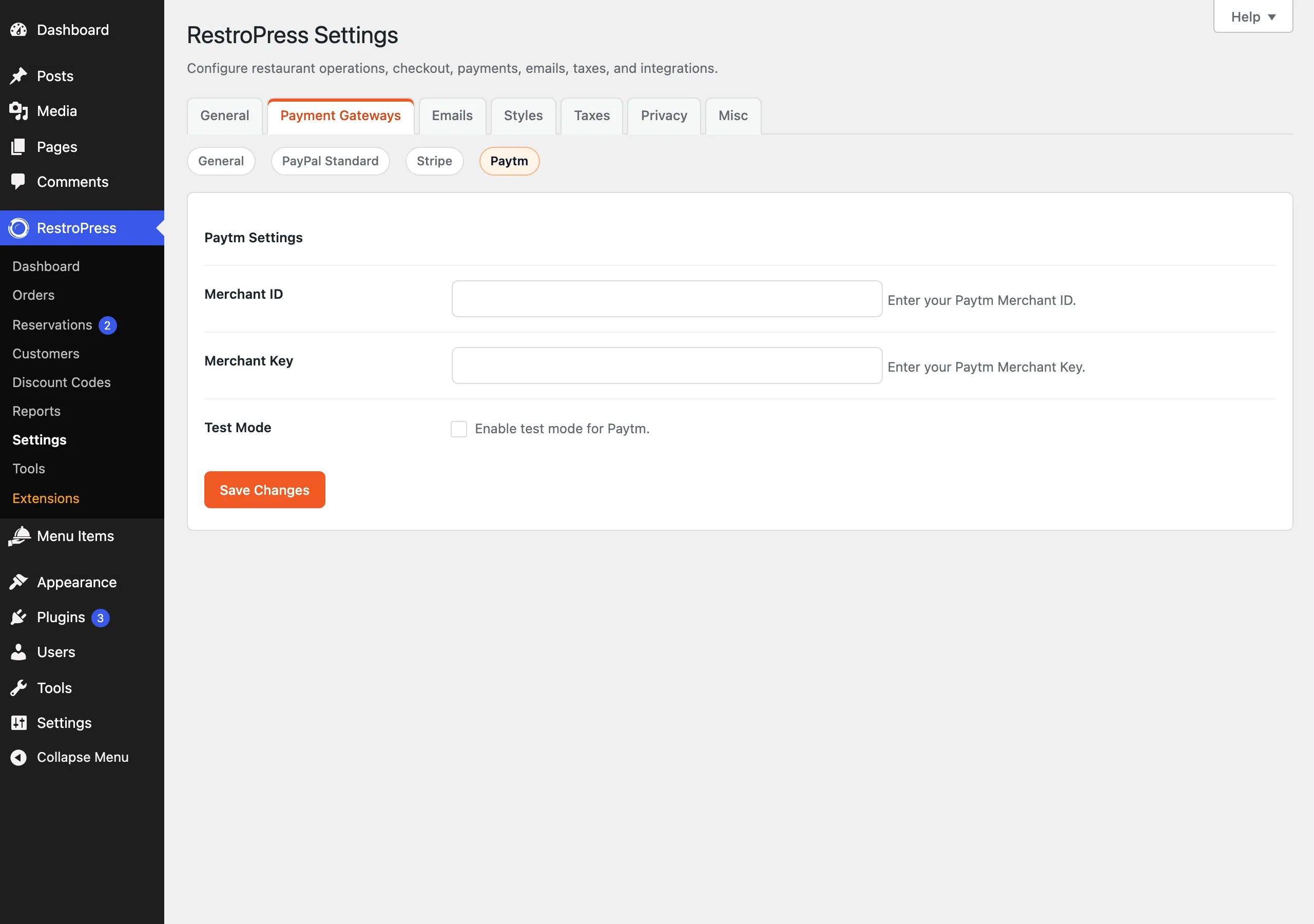
| Setting | What it does | Default |
|---|---|---|
| Merchant ID | Your Paytm Merchant ID. | empty |
| Merchant Key | Your Paytm Merchant Key. It is a plain text field, not a masked one. | empty |
| Test Mode | Uses Paytm's staging address and the website name WEBSTAGING instead of the production address and WEBPROD. | Off |
How it works#
- The customer chooses Paytm at checkout. If the Merchant ID or Key is empty, checkout shows "Paytm configuration is incomplete."
- The plugin creates the order with status
pendingand builds a form with the order ID, amount, customer ID, email and phone, the channelWEB, industry typeRetailand a callback URL of?rpress-listener=paytmon your site. A SHA-256 hash of the key and the field values is added asCHECKSUMHASH. - The browser auto-submits that form to
https://securegw.paytm.in/order/process(orhttps://securegw-stage.paytm.in/order/processin Test Mode). - When Paytm posts back, the plugin compares the checksum, loads the order, and sets it to
publishif the status isTXN_SUCCESS, empties the cart and redirects to the success page. Any other status that passes the checksum marks the orderfailed.
The plugin does not check the returned amount against the order, does not query Paytm for the final status, does not schedule retries and does not support refunds. Errors are written to the PHP error log only when WP_DEBUG is on.
Troubleshooting#
- "Paytm configuration is incomplete." Merchant ID or Merchant Key is empty.
- "Checksum verification failed." The posted-back values did not hash to the checksum Paytm sent. The check is a simple SHA-256 over the posted fields; if Paytm signs responses differently the check cannot pass, so test with Paytm's staging environment before going live.
- "Payment not found" / "Invalid response from Paytm". The return request had no usable order ID.
- If you need automatic status verification, a currency check or retries, use
restropress-paytminstead.