
RestroPress PayUmoney Payment Gateway
On this page
This plugin registers a gateway called PayUmoney in RestroPress and sends the customer to PayUmoney with a signed form. It is a small early-stage plugin (version 1.0.0, about 300 lines of code, placeholder author and website in the plugin header) and should be treated as a starting point, not a finished integration.
It is one of two near-identical plugins. The other one, restropress-payu-payment-gateway (PayU), has the same code with a different name and option keys; the only functional difference is the address the form is posted to. This plugin posts the payment form to a PayUmoney address whose path ends in chkMerchantTxnStatus, which reads like a transaction-status address rather than a payment page.
Requirements#
- RestroPress (the plugin only starts if the
RestroPressclass exists). - A PayUmoney merchant account with a Merchant Key and Salt.
Installation#
Install the ZIP from Plugins › Add New › Upload Plugin and activate it. Then open RestroPress › Settings › Payment Gateways, tick PayUmoney in the gateway list and save. The settings are in the PayUmoney section of the same screen.
The plugin has no licence field, so there is no licence key to enter and no update checker in its code.
Settings#
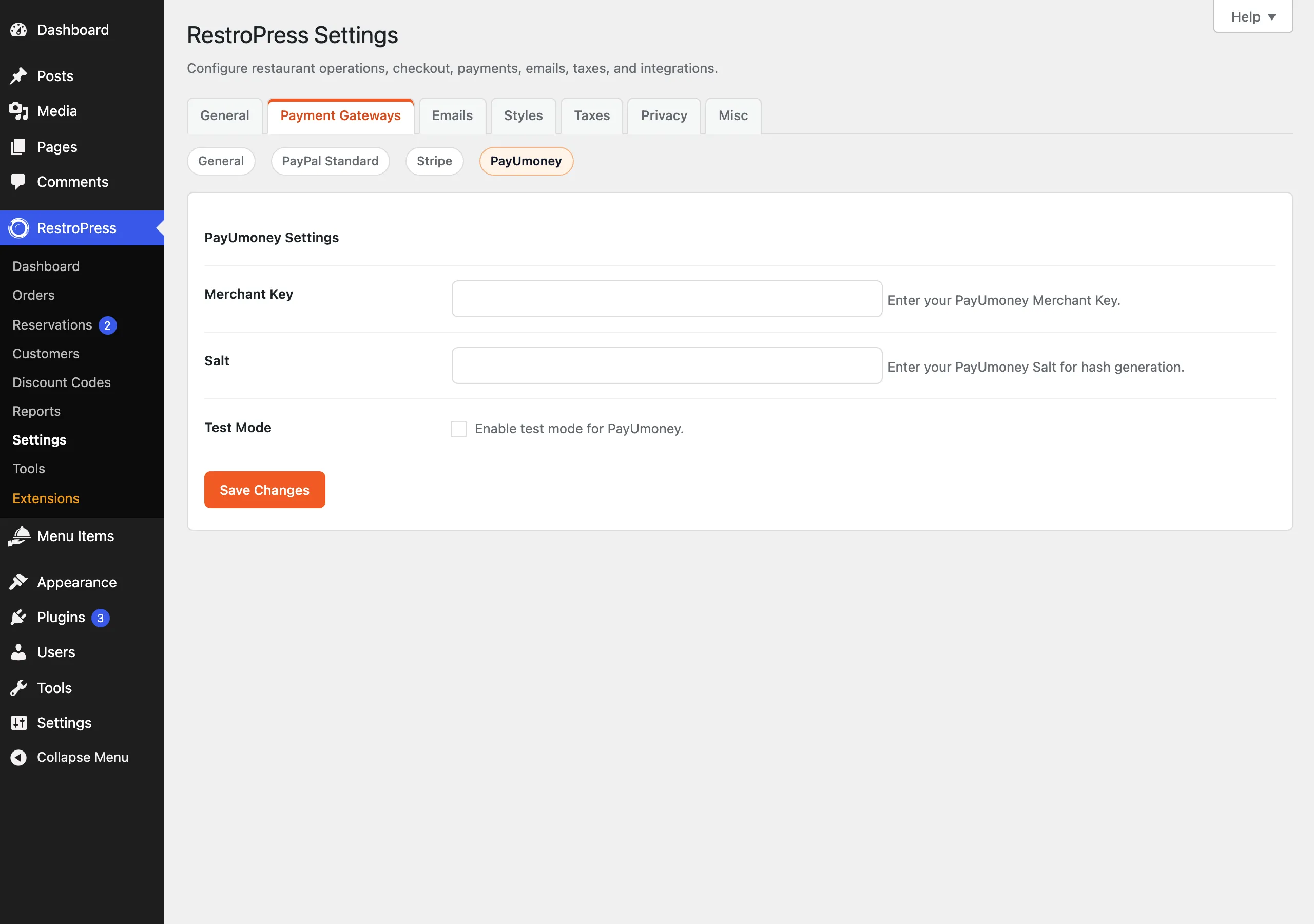
| Setting | What it does | Default |
|---|---|---|
| Merchant Key | Your PayUmoney Merchant Key. | empty |
| Salt | Your PayUmoney Salt, used to sign the request and to check the response. It is a plain text field. | empty |
| Test Mode | Uses the test address instead of the live one. | Off |
How it works#
- The customer chooses PayUmoney at checkout. If the key or salt is empty, checkout shows "PayUmoney configuration is incomplete."
- The plugin creates the order with status
pendingand builds a form with the key, transaction ID (the order ID), amount, product info "RestroPress Order", first name, email, phone, a success URL and a failure URL (both?rpress-listener=payumoneyon your site, withstatus=successorstatus=failure) and a SHA-512 hash of those values plus the salt. - The browser auto-submits the form to
https://secure.payumoney.com/payment/payment/chkMerchantTxnStatus(orhttps://test.payumoney.com/payment/payment/chkMerchantTxnStatusin Test Mode). - When PayUmoney posts back, the plugin recalculates the reverse hash from the salt and the posted values and compares it. If it matches and the posted
statusissuccess, the order is set topublish, the cart is emptied and the customer is redirected to the success page. Any other status marks the orderfailedand returns the customer to checkout with "Payment failed."
The plugin does not check the returned amount against the order, does not call PayUmoney to confirm the transaction, does not check the store currency, does not schedule retries and does not support refunds. Errors are written to the PHP error log only when WP_DEBUG is on.
Troubleshooting#
- "PayUmoney configuration is incomplete." Merchant Key or Salt is empty.
- "Hash verification failed." The hash PayUmoney sent did not match the one the plugin calculated. Check that the salt matches the environment you are using.
- "Payment not found" / "Invalid response from PayUmoney". The return request had no usable transaction ID.