
RestroPress Skrill Payment Gateway
On this page
This plugin registers a gateway called Skrill in RestroPress. At checkout it redirects the customer to Skrill's payment page with the amount and order details in the address, and when the customer comes back it marks the order paid or failed based on the status value in the returning URL. It is a small early-stage plugin (version 1.0.0, about 260 lines of code) and should be treated as a starting point, not a finished integration.
Requirements#
- RestroPress (the plugin does not check for it explicitly; it relies on RestroPress functions being present).
- A Skrill merchant account.
Installation#
Install the ZIP from Plugins › Add New › Upload Plugin and activate it. Then open RestroPress › Settings › Payment Gateways, tick Skrill in the gateway list and save. The settings are in the Skrill section of the same screen.
The plugin has no licence field, so there is no licence key to enter and no update checker in its code.
Settings#
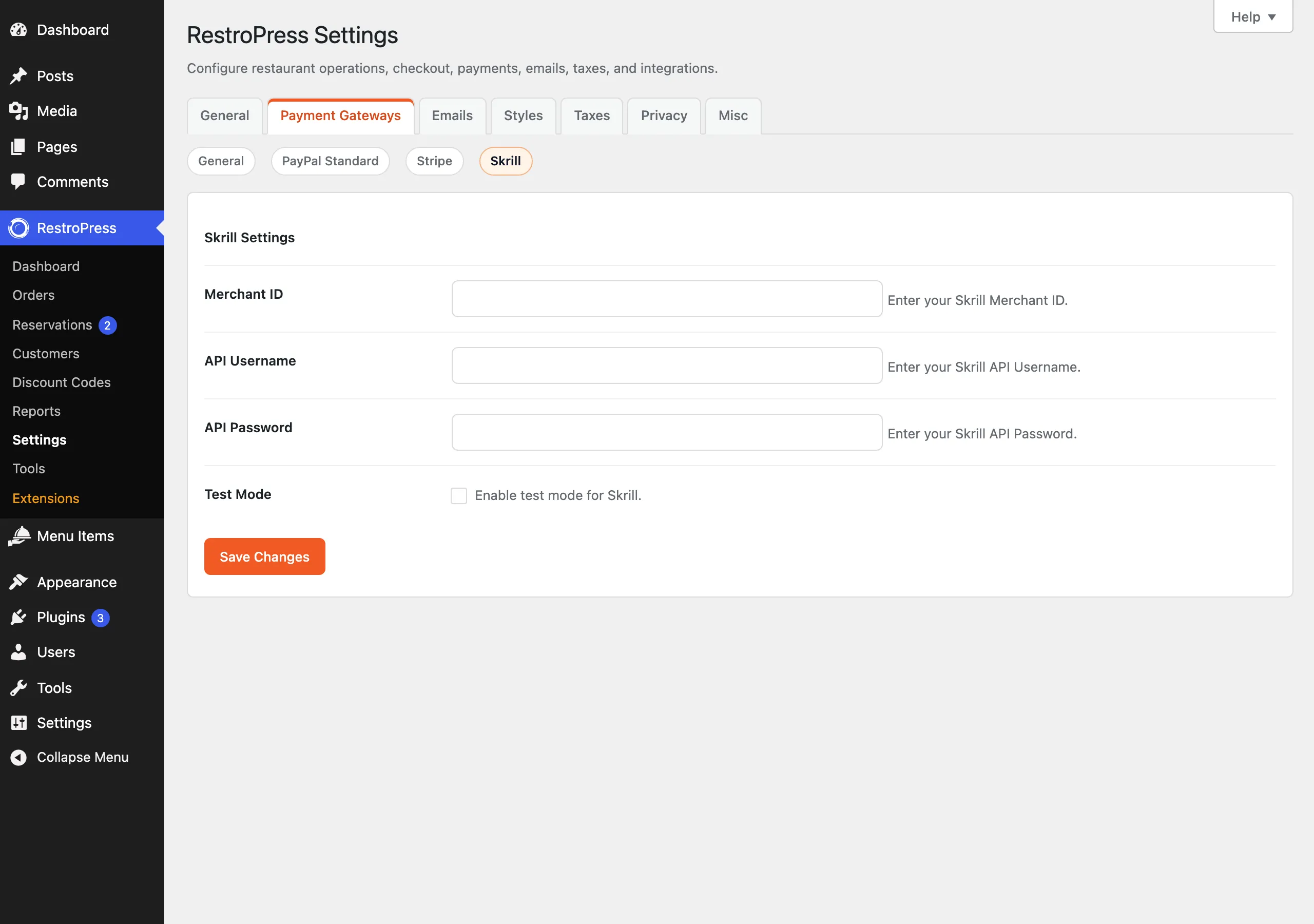
| Setting | What it does | Default |
|---|---|---|
| Merchant ID | Sent to Skrill as pay_to_email. Despite the label, it has to be the email address of your Skrill merchant account for Skrill to accept it. | empty |
| API Username | Required to be non-empty but not used anywhere else in the code. | empty |
| API Password | Required to be non-empty but not used anywhere else in the code. Plain text field. | empty |
| Test Mode | Switches the address the customer is sent to (see below). | Off |
How it works#
- The customer chooses Skrill at checkout. If any of the three text settings is empty, checkout shows "Skrill configuration is incomplete."
- The plugin creates the order with status
pendingand redirects the customer tohttps://www.skrill.com/app/pay.pl(orhttps://pay.skrill.comwhen Test Mode is on) withpay_to_email,transaction_id(the order ID),amount,currency,return_url,status_url(the same?rpress-listener=skrilladdress on your site),cancel_url(the checkout page) and a description. - When the customer lands back on
?rpress-listener=skrill, the plugin loads the order named bytransaction_id. If thestatusparameter is2it sets the order topublish, empties the cart and redirects to the success page. Any other value marks the orderfailed.
This early version does not yet confirm payments with the provider, so do not use it for live payments. It does not support refunds and does not verify Skrill's server-to-server status notification.
Troubleshooting#
- "Skrill configuration is incomplete." Merchant ID, API Username or API Password is empty.
- "Invalid response from Skrill" / "Payment not found". The return request had no
transaction_id, or no order with that ID exists. - "Payment failed." The returning
statuswas not2, including when the customer cancelled.