
Payoneer Payment Gateway
RestroPress Payoneer Payment Gateway adds Payoneer as a checkout option. The customer is redirected to a Payoneer payment page and returned to your site afterwards. It is a small first version of about 280 lines of code with limited order handling.
Requirements#
- RestroPress (no minimum version is declared).
- A Payoneer account with an API Key, an Account ID and a Signature Key.
Installation#
- Go to Plugins › Add New › Upload Plugin, upload the ZIP, install and activate.
- Go to RestroPress › Settings › Payment Gateways, enable Payoneer and save.
- Open the Payoneer section and enter your credentials.
There is no licence key field in this plugin.
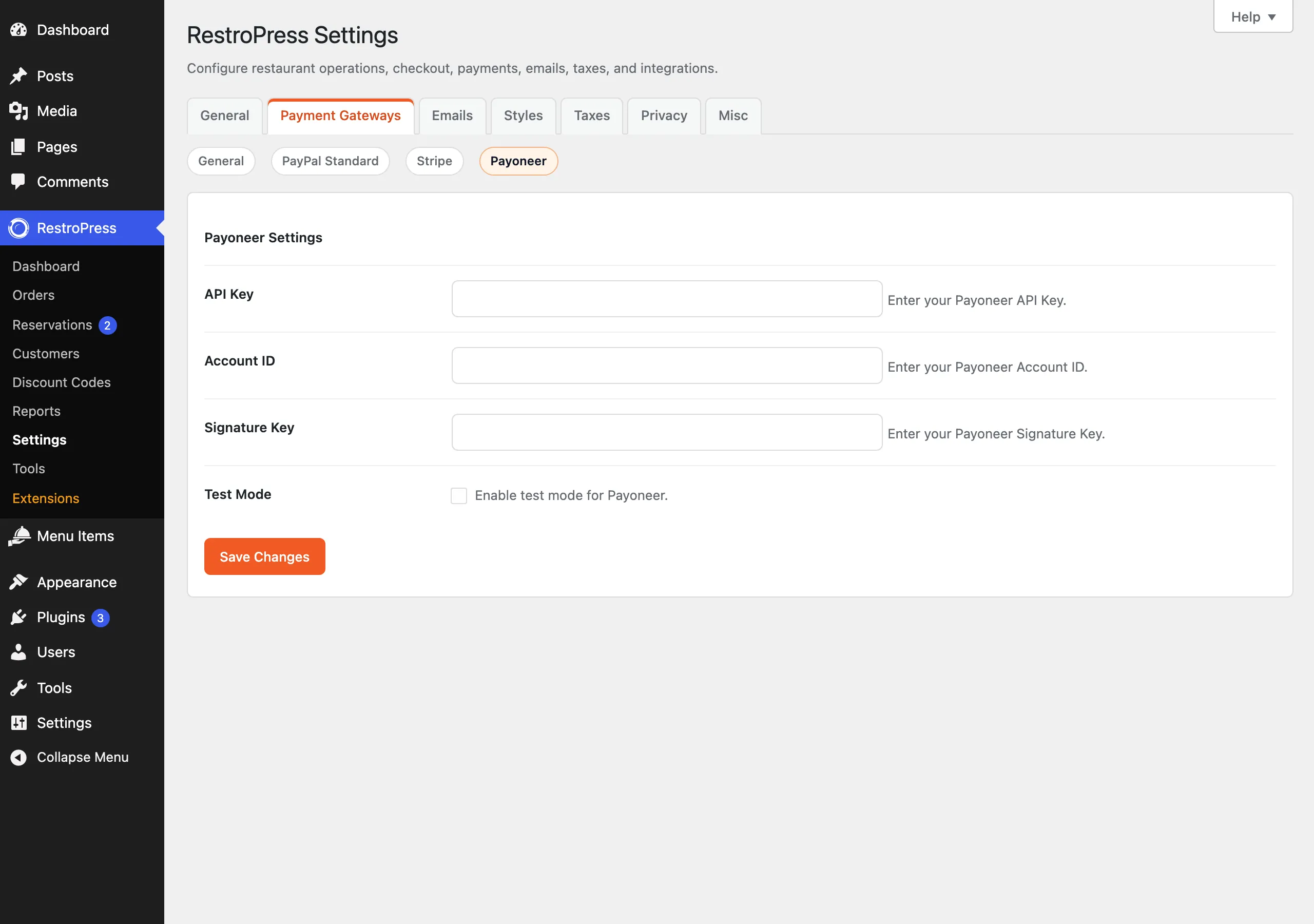
Settings#
Found under RestroPress › Settings › Payment Gateways › Payoneer.
| Setting | What it does | Default |
|---|---|---|
| API Key | Your Payoneer API Key, sent as a Bearer token. | Empty |
| Account ID | Your Payoneer Account ID, sent with the request. | Empty |
| Signature Key | Used to sign the request body (HMAC-SHA256, sent in a Signature header). | Empty |
| Test Mode | Checkbox, "Enable test mode for Payoneer." When ticked, requests go to api.sandbox.payoneer.com instead of api.payoneer.com. | Unchecked |
If API Key, Account ID or Signature Key is empty, checkout shows "Payoneer configuration is incomplete."
How it works#
- The customer picks Payoneer. No card form is shown.
- On placing the order, RestroPress creates a pending order and the plugin sends a payment creation request with the order number, total, currency and a description ("Payment for order N").
- The customer is redirected to the
payment_urlPayoneer returns. The return and notify URLs are both?rpress-listener=payoneeron your site. - When that URL is opened with an
order_idparameter, the plugin sets that order to complete, empties the cart and redirects to the success page.
This early version does not yet confirm payments with the provider, so do not use it for live payments. Treat the extension as incomplete and test thoroughly before use. Refunds are not implemented.
Troubleshooting#
- "Payment gateway error." at checkout: Payoneer did not return a
payment_url. WithWP_DEBUGon, the response is written to the PHP error log with the prefix[RPRESS Payoneer]. - "Invalid response from Payoneer": the return request had no
order_id. - "Payment not found":
order_iddid not match an order.
Changelog highlights#
The plugin ships no readme changelog. Plugin header version: 1.0.0.
Was this page helpful?