
RestroPress 2Checkout Payment Gateway
On this page
RestroPress 2Checkout Payment Gateway adds 2Checkout as a payment method at checkout. The customer is redirected to a 2Checkout payment page and then returned to your site. It is intended for restaurants that already have a 2Checkout merchant account.
Status: early version. The plugin registers a gateway, settings and a return handler, but the code has not been shown to complete a payment against 2Checkout. Treat it as unfinished: use it only with the provider's sandbox until you have tested a full order yourself.
Requirements#
- RestroPress. The plugin does not check for a minimum version.
- A 2Checkout account with a Merchant ID, API key and secret key.
Installation#
- In WordPress go to Plugins › Add New › Upload Plugin, choose the ZIP file and install it.
- Activate RestroPress 2Checkout Payment Gateway.
- Go to RestroPress › Settings › Payment Gateways, tick 2Checkout under Payment Gateways on the General section and save.
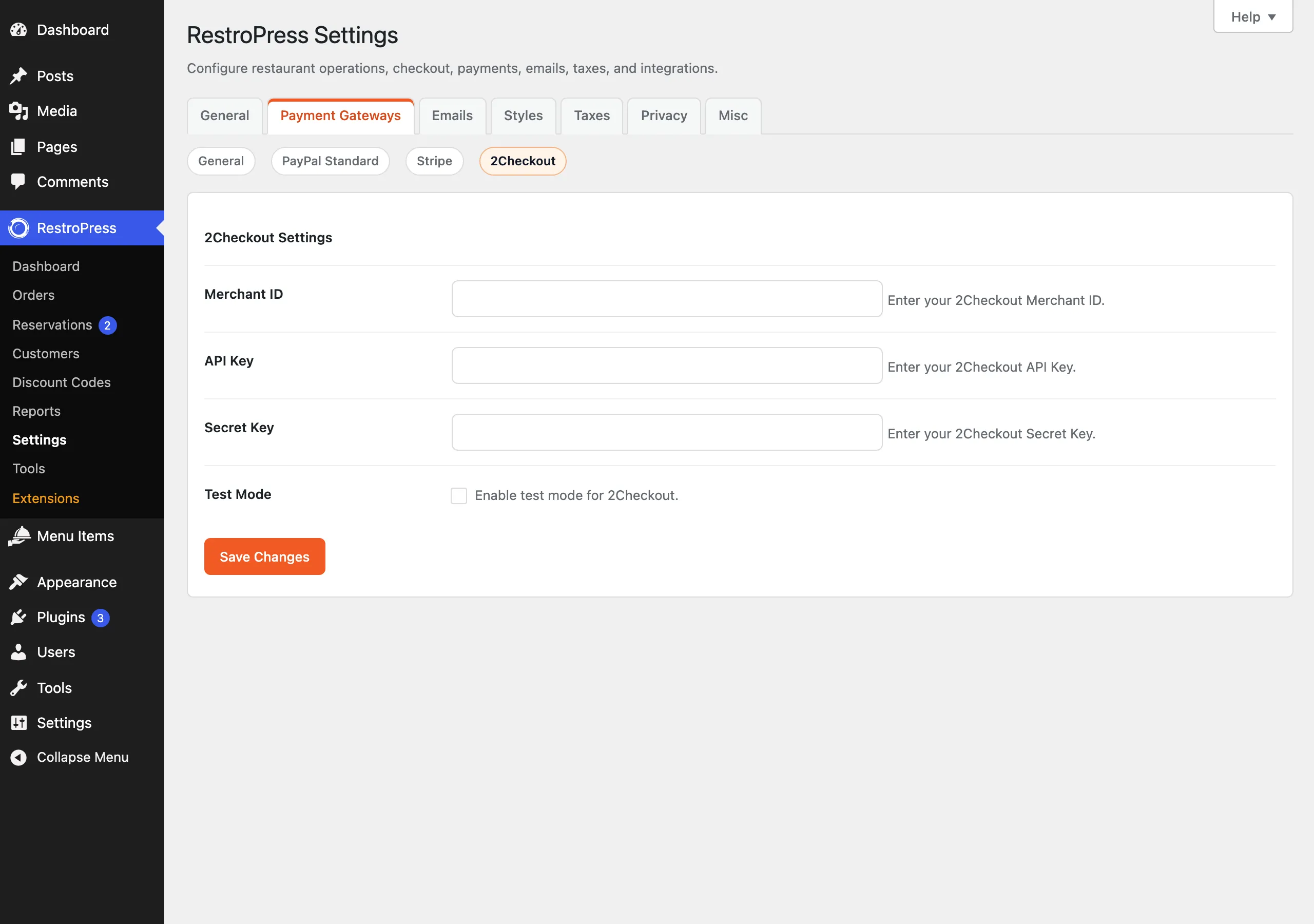
- Open the 2Checkout section on the same tab and fill in the settings below.
The plugin has no licence key field, so there is nothing to enter under RestroPress › Settings › Licenses for it.
Settings#
Found under RestroPress › Settings › Payment Gateways › 2Checkout, below the heading 2Checkout Settings.
| Setting | What it does | Default |
|---|---|---|
| Merchant ID | Your 2Checkout Merchant ID. Required. | Empty |
| API Key | Sent as a bearer token when the plugin creates a payment. Required. | Empty |
| Secret Key | Required for checkout to proceed, but the current code does not use it for anything else. | Empty |
| Test Mode | Sends the request to sandbox.2checkout.com instead of api.2checkout.com. This is a setting of this plugin; it does not follow the main RestroPress Test Mode option. | Off |
The API Key and Secret Key are ordinary text fields, so they are visible to anyone who can open this settings screen.
How it works#
- The customer chooses 2Checkout at checkout. No card form is shown, because the plugin removes it for this gateway.
- On submit the plugin checks that Merchant ID, API Key and Secret Key are filled in. If not, checkout shows "2Checkout configuration is incomplete."
- The plugin creates the order with status
pendingand gateway2checkout. - It posts the order ID, total, currency and customer email to 2Checkout, with a return and notification URL of
/?rpress-listener=2checkouton your site. - If the response contains a
paymentUrl, the customer is redirected there. Otherwise checkout shows "Payment gateway error." - When a request arrives at
/?rpress-listener=2checkout&merchantOrderId=ID, the plugin sets that order topublish(completed), empties the cart and sends the customer to the success page.
Important: This early version does not yet confirm payments with the provider, so do not use it for live payments. The plugin has no refund support.
Troubleshooting#
- 2Checkout configuration is incomplete. One of Merchant ID, API Key or Secret Key is empty.
- Payment gateway error. The request to 2Checkout failed or its answer had no
paymentUrl. WithWP_DEBUGon, the details are written to the PHP error log with the prefix[RPRESS 2Checkout]. - Unable to create payment record. RestroPress could not insert the order.
- Invalid response from 2Checkout or Payment not found. The return URL was opened without
merchantOrderId, or with an ID that is not an order.